.webp)



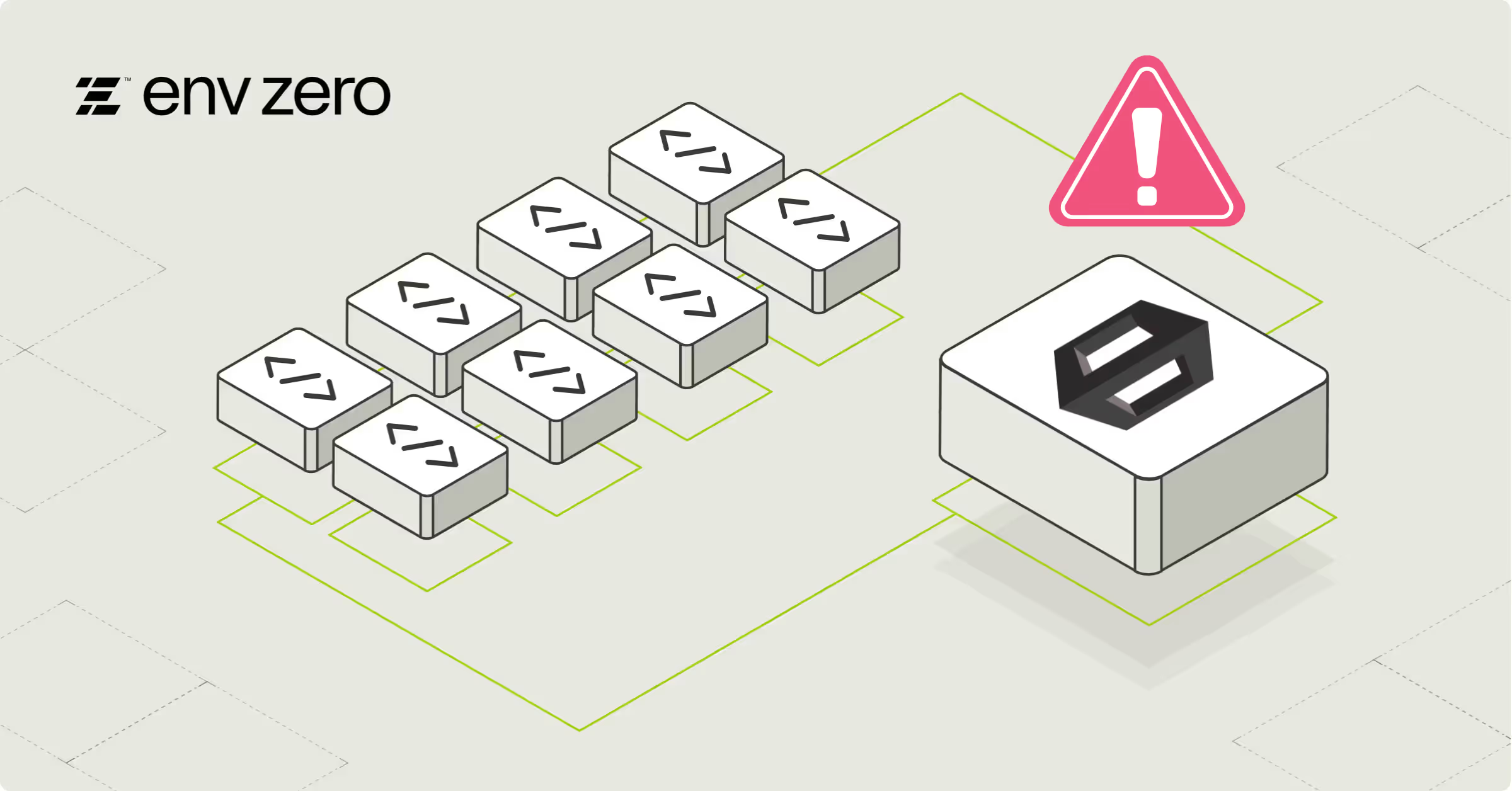
CloudFormation drift detection is one of the most practical guardrails you can use to catch unmanaged infrastructure changes in AWS. In real environments, it's common for resources to be modified outside of CloudFormation, whether through console changes, CLI/API updates, or automation that runs independently from your stacks. This process is crucial for maintaining infrastructure consistency and preventing configuration drift in your infrastructure as code (IaC) deployments.
AWS defines drift as a mismatch between the expected configuration in your CloudFormation template and the actual configuration of deployed resources. When at least one resource in a stack is out of sync, CloudFormation treats the entire stack as drifted too. That gap between declared and real state is what teams typically refer to as cloudformation drift or stack drift.
This matters because unmanaged drift can introduce reliability risk, break repeatable deployments, and create gaps between what teams believe they have deployed and what is actually running in AWS. Effective infrastructure management relies on accurate resource tracking and maintaining resource compliance.
In this guide, we'll break down how cloud formation drift detection works, what it can and cannot detect, and how to operationalize it so it becomes part of your day-to-day infrastructure workflow.
The Basics of CloudFormation Drift Detection
At a high level, aws cloud formation drift detection compares your deployed AWS resources against the properties defined in your CloudFormation template. This drift detection process involves a comprehensive scan of your stack resources to identify any discrepancies.
A drift detection scan can report the following resource drift statuses:
- IN_SYNC: the resource matches the template configuration
- DRIFTED: one or more properties differ from what the template defines
- DELETED: the resource no longer exists
- NOT_CHECKED: CloudFormation did not evaluate drift for that resource (often because the resource type is unsupported)
When CloudFormation detects drift at the property level, it can also describe the type of change using these property difference values:
- ADD: a property exists in the actual configuration but not in the template
- REMOVE: a property exists in the template but not in the actual configuration
- NOT_EQUAL: the property exists in both places but has different values
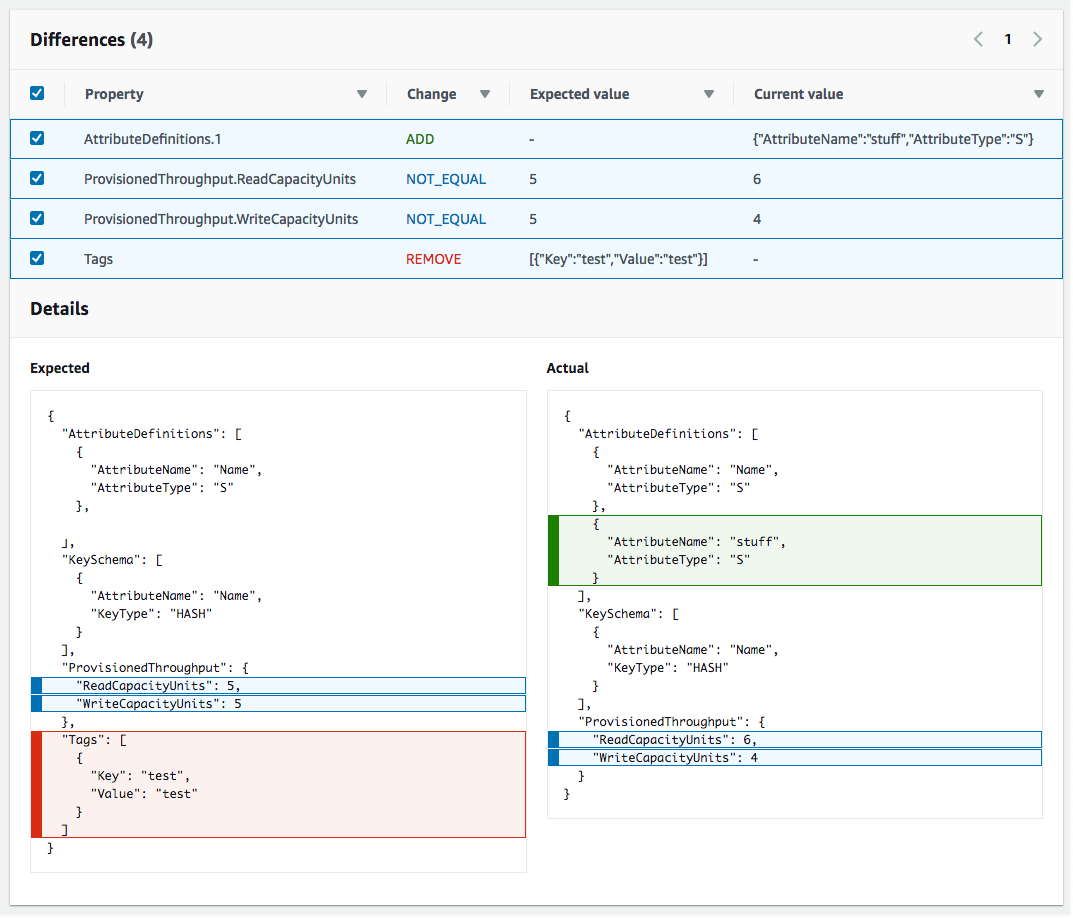
Image source: AWS Docs
What CloudFormation drift detection actually compares
A critical detail: while drift detection primarily focuses on properties defined in your template, it can also detect additional properties that have been added manually to CloudFormation resources.
That means:
- If you rely on AWS defaults and don't declare them in the template, drift detection typically won't flag differences for those values.
- If you want a property to be drift-aware, you should explicitly define it in the template (even if you're matching the default).
When drift detection can run
Drift detection can only be performed when the stack is in a stable state (for example: CREATE_COMPLETE, UPDATE_COMPLETE, UPDATE_ROLLBACK_COMPLETE, and UPDATE_ROLLBACK_FAILED). If a stack is mid-operation, drift detection is not available. This limitation ensures that the drift detection operation doesn't interfere with ongoing stack updates.
Where results can be confusing (real-world edge cases)
Even when drift detection is supported, there are scenarios where results may be incomplete or misleading, for example:
- resources that have dependencies across stacks
- properties that CloudFormation cannot reliably read back from the live resource state
- properties whose values are functionally equivalent but represented differently (causing noise)
This is why teams often treat AWS drift detection as a signal that triggers investigation, not an automatic drift remediation mechanism by itself.
Common Causes of CloudFormation Drift in AWS
Cloudformation drift rarely happens because teams don't care. It happens because production systems move quickly and changes happen under pressure. Infrastructure drift can occur for various reasons, impacting overall infrastructure consistency.
Here are common causes of drift that show up across AWS environments:
1) Console changes during incident response
Someone tweaks a security group rule, modifies an IAM policy, or changes an ALB listener to stop an outage. The fix works, but the template is now behind, creating a discrepancy in resource configuration.
2) Automation that bypasses CloudFormation
A script or pipeline updates AWS resources directly through the individual service APIs (e.g., EC2 or S3). The stack still exists, but the live state no longer matches the declared state in the infrastructure as code template.
3) "Temporary" changes that become permanent
Teams sometimes treat resources as temporary, especially in dev or staging, then the environment sticks around long enough to accumulate unmanaged changes, leading to significant configuration drift over time.
4) Cross-service changes and integrations
Even when CloudFormation created the resource, other services can update properties later, depending on the resource type and integrations in use. This can lead to unexpected changes in resource properties.
Tools and Services for AWS Drift Detection (Beyond the Console)
CloudFormation drift detection is the baseline, but most teams need more than "run it once and look at the results." Here are common ways to operationalize aws drift detection so it fits into modern workflows.
Amazon EventBridge (for event-driven workflows)

CloudFormation emits events related to stack operations and drift detection activity. EventBridge rules can route those events to targets such as:
- SNS for notifications
- AWS Lambda function for automated workflows
- SQS for buffering and processing
This is useful when you want drift detection to plug into a broader automation and alerting model.
AWS Config (for compliance-oriented tracking)
AWS Config includes a managed rule called:
cloudformation-stack-drift-detection-check
This is a strong option if you want drift to show up in compliance dashboards and reporting. It's also useful for organizations that need structured evidence of configuration monitoring and resource compliance.
Amazon CloudWatch + SNS (for notifications and visibility)

Amazon CloudWatch does not detect drift by itself, but it is commonly used as the monitoring and alerting layer in workflows that react to drift detection results or related stack events. It can be particularly useful for tracking the drift status of critical resources.
CloudFormation StackSets (for multi-account drift detection)
If you manage infrastructure across accounts and regions, StackSets can run drift detection across stack instances. This is often the most practical way to run aws cloud formation drift detection at scale in multi-account AWS environments.
Best Practices for CloudFormation Drift Detection
Here are best practices that hold up in production environments and scale across teams, ensuring effective infrastructure management and maintaining infrastructure consistency.
Run drift detection on a schedule
A practical approach looks like this:
- production: daily or multiple times per week
- staging: weekly
- dev/test: weekly or monthly
The exact cadence depends on change frequency and how strict your governance needs to be. Regular drift detection scans help maintain ongoing resource compliance.
Run drift detection before high-impact stack operations
If you're about to run a risky update, drift detection can reduce surprises by showing where the stack has diverged from what CloudFormation expects. This practice can prevent unexpected issues during stack updates.
Treat drift as a workflow problem, not only a technical problem
The strongest drift prevention strategy is process-based:
- keep infrastructure changes flowing through IaC
- restrict direct console changes in sensitive environments
- require template updates when changes must be made urgently
Make permissions explicit
At minimum, users and automation that run drift detection will need permissions such as:
- cloudformation:DetectStackDrift
- cloudformation:DetectStackResourceDrift
- cloudformation:DescribeStackDriftDetectionStatus
- cloudformation:DescribeStackResourceDrifts
Exact needs depend on how you run detection and where you store results. Proper permissions management is crucial for maintaining secure drift detection processes.
Limitations of AWS CloudFormation Drift Detection
Even when you implement cloud formation drift detection, it's important to be clear about limitations so teams don't overestimate coverage.
Not every resource type is supported
Unsupported resources are typically returned as NOT_CHECKED, which can create blind spots in your drift detection tool.
Drift detection coverage is property-based
CloudFormation only checks drift for properties it can evaluate and that are explicitly defined in the template. This means some aspects of resource configuration may not be covered.
Nested stacks require extra attention
Nested stacks can add operational complexity. Fortunately, initiating drift detection on a root stack now automatically includes all nested stacks in the check.
Drift detection is detection, not remediation
CloudFormation will tell you something changed. It will not automatically revert those changes or reconcile your template and live state for you. To resolve drift, you can either manually revert the change or use the Resource Import feature to update your template to match the current state.
Conclusion
CloudFormation drift detection is one of the fastest ways to identify unmanaged infrastructure changes across AWS environments. It gives teams a practical signal when reality diverges from what the stack template declares, which is exactly how cloudformation drift becomes an operational problem.
For most organizations, the best results come from treating drift detection as a repeatable workflow: run it regularly, monitor results, and ensure every intentional change is reflected in IaC. This approach helps maintain infrastructure consistency and prevents long-term configuration drift issues.
Drift Detection and Remediation with env zero
CloudFormation drift detection is a solid way to identify drift in AWS stacks, but drift management typically also includes analysis, prevention, and drift remediation workflows across IaC and cloud resources. For a broader reference on drift detection and remediation practices, see env zero's guide: https://www.env0.com/blog/the-ultimate-guide-to-terraform-drift-detection-how-to-detect-prevent-and-remediate-infrastructure-drift
FAQ's
What is CloudFormation drift detection and how does it work?
CloudFormation drift detection is a feature that compares the current state of your AWS resources with the configuration defined in your CloudFormation template. It scans stack resources and identifies whether they are in sync or have diverged due to changes made outside the IaC workflow.
During a drift detection run, each resource is assigned a status such as IN_SYNC, DRIFTED, DELETED, or NOT_CHECKED. At a more granular level, CloudFormation also highlights specific property differences, helping teams understand exactly what has changed and where.
This process gives teams visibility into discrepancies between declared infrastructure and actual deployments. However, it should be treated as a detection mechanism, not a full solution, since it does not automatically fix or reconcile drift.
What types of changes can CloudFormation drift detection identify?
CloudFormation drift detection can identify changes in resource properties that differ from what is explicitly defined in the template. This includes modifications such as updated security group rules, altered configurations, or properties added or removed outside the IaC workflow.
It can also detect additional properties that were manually added to a resource, even if they were not originally part of the template. This makes it useful for identifying console-based changes or API-driven updates that bypass CloudFormation.
However, detection is limited to properties that CloudFormation can evaluate and that are defined in the template. If a property relies on default values and is not explicitly declared, drift detection may not flag it, creating potential blind spots.
Why is CloudFormation drift detection important for production environments?
In production environments, infrastructure is constantly evolving, often under time pressure. Manual fixes, automation scripts, and cross-service interactions can introduce changes that are not reflected in CloudFormation templates, leading to drift.
This creates a gap between what teams believe is deployed and what is actually running. Over time, this gap can cause deployment failures, security vulnerabilities, and compliance issues, especially in regulated environments.
Drift detection provides a way to identify these discrepancies early. By regularly running drift checks, teams can maintain alignment between code and infrastructure, improving reliability and reducing operational risk.
What are the limitations of CloudFormation drift detection?
CloudFormation drift detection has several important limitations that teams must account for. Not all AWS resource types are supported, which means some resources may be marked as NOT_CHECKED and remain outside visibility.
The detection process is also property-based, meaning it only evaluates properties that are explicitly defined in the template. This can result in incomplete results if teams rely heavily on default configurations or if certain properties cannot be read back reliably.
Additionally, CloudFormation does not provide automatic remediation. It identifies drift but leaves it up to teams to decide whether to revert changes or update the template. This makes it necessary to integrate drift detection into a broader operational workflow.
How should teams operationalize CloudFormation drift detection effectively?
To make drift detection effective, it must be integrated into regular workflows rather than used as a one-time check. High-performing teams run drift detection on a schedule, such as daily for production environments and weekly for staging or development.
It is also important to run drift detection before major updates to avoid unexpected behavior during deployments. Combining detection with monitoring tools like EventBridge, AWS Config, or CloudWatch allows teams to trigger alerts and automate responses.
Beyond tooling, process discipline is critical. Teams should enforce IaC-first changes, restrict manual console access in sensitive environments, and ensure that any intentional changes are reflected back into templates. This combination of tooling and process is what turns drift detection into a reliable operational practice.
Related: env0’s AWS integration brings environment management, cost controls, and deployment guardrails to your AWS infrastructure workflows.
Further reading: Addressing the Problem of Drift Detection and Drift Cause Analysis — a deep dive into how drift manifests and how to identify its root cause.