.webp)
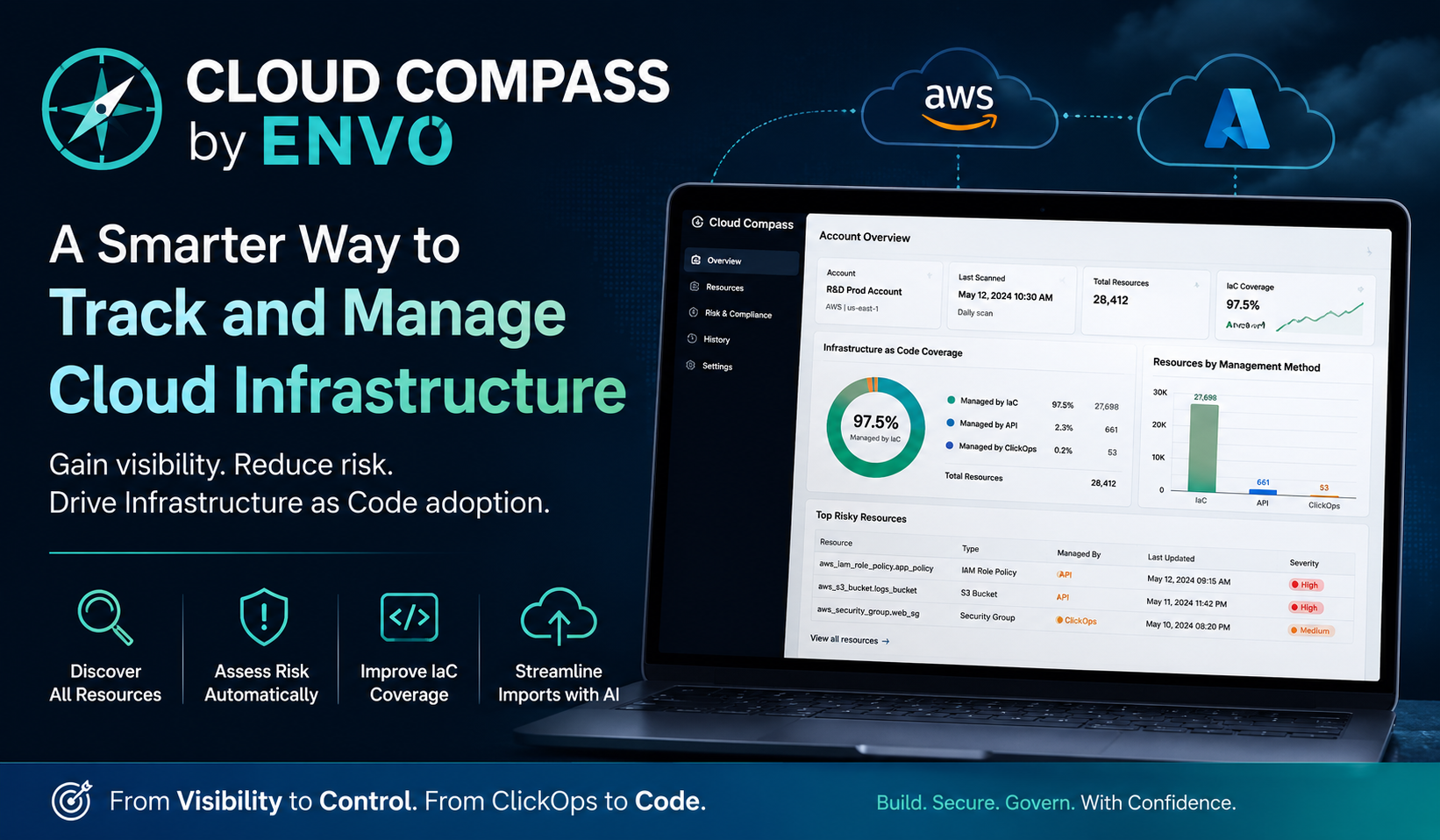
Managing cloud resources across large environments can quickly become challenging, especially when teams create resources manually through cloud consoles, APIs, and Infrastructure as Code (IaC) tools. To address this challenge, ENV0 has introduced Cloud Compass, a powerful feature designed to help organizations gain visibility into their cloud infrastructure and improve IaC adoption.
In a recent demonstration, Andrew from ENV0 showcased how Cloud Compass helps businesses scan their cloud environments, identify unmanaged resources, and streamline the process of importing them into Infrastructure as Code platforms like Terraform and OpenTofu.
What Is Cloud Compass?
Cloud Compass is a cloud governance and management solution that scans your cloud accounts and provides insights into:
- Which resources are managed through Infrastructure as Code (IaC)
- Which resources were created manually through cloud consoles (ClickOps)
- Which resources were created or modified through APIs
- The overall IaC coverage across your cloud infrastructure
Its primary goal is to help organizations improve cloud governance and reduce risks associated with manually managed resources.
Why Infrastructure as Code Matters
Infrastructure as Code has become an essential practice for modern cloud operations. By managing infrastructure through code, organizations can:
- Maintain version control of infrastructure changes
- Improve consistency across environments
- Reduce human errors
- Simplify disaster recovery
- Enable automation and collaboration
However, many organizations still have resources that are created manually, leading to configuration drift, security concerns, and operational inefficiencies. Cloud Compass helps identify these gaps and provides a roadmap toward greater automation.
Key Features of Cloud Compass
1. Cloud Account Scanning
Cloud Compass continuously scans your cloud account and identifies all existing resources. The platform provides:
- Total number of resources
- Cloud provider information
- Scan history
- Resource management methods
This gives cloud teams complete visibility into their environments and allows them to understand exactly how their infrastructure is being managed.
2. Infrastructure as Code Coverage Tracking
One of the standout features of Cloud Compass is its ability to calculate the percentage of resources managed through Infrastructure as Code.
During the demonstration, an AWS R&D production account contained approximately:
- 28,000 resources
- 97.5% managed through Infrastructure as Code
- A small percentage managed through APIs
- 53 resources managed through ClickOps
This allows organizations to measure their progress toward full infrastructure automation and identify areas that require attention.
3. Risk Assessment Based on Resource Creation Method
Cloud Compass assigns risk levels to resources based on how they were created or updated.
Lower-Risk Resources
Resources managed through:
- Terraform
- OpenTofu
- Other Infrastructure as Code tools
Higher-Risk Resources
Resources created or modified through:
- Cloud consoles (ClickOps)
- Cloud APIs
- Manual changes
Manual modifications often introduce inconsistencies that are difficult to track and reproduce. By identifying these resources, teams can prioritize remediation efforts and improve governance.
4. Detailed Resource Visibility
Cloud Compass provides a detailed list of all resources detected in your cloud environment. For each resource, users can see:
- Severity rating
- Creation method
- Update method
- Infrastructure as Code status
For example, during the demo, several AWS IAM role policies were being updated directly through APIs instead of Terraform, resulting in higher severity ratings.
This level of visibility helps organizations better understand where configuration drift exists and where improvements can be made.
5. AI-Powered Infrastructure Import Generation
One of the most impressive capabilities of Cloud Compass is its use of generative AI to simplify resource importing.
Users can:
- Select unmanaged resources.
- Click Perform Action.
- Choose Generate IaC Code.
- Select either:
- Terraform
- OpenTofu
Cloud Compass then automatically generates the required import blocks.
Why Importing Existing Resources Is Difficult
Importing existing cloud resources into Terraform or OpenTofu can be challenging because users must determine two important pieces of information:
The Correct Provider Resource
For example:
aws_iam_role_policy
Finding the right provider resource often requires extensive documentation research.
The Correct Resource ID
Terraform imports require precise resource identifiers, which can vary significantly between resource types.
Cloud Compass automatically identifies both pieces of information, dramatically simplifying the migration process.
Integration with Terraform and OpenTofu
The generated import blocks can be used alongside:
- Terraform Plan Generate Config Out
- OpenTofu Plan Generate Config Out
This allows teams to:
- Import existing resources
- Generate configuration stubs
- Add resources into source control repositories
- Begin managing them through Infrastructure as Code
As a result, organizations can transition unmanaged resources into code-based management much more efficiently.
Supported Cloud Providers
Amazon Web Services (AWS)
Cloud Compass can read:
- AWS CloudTrail logs
- Resource activity data
- Configuration history
This provides valuable insights into how resources are created and modified.
Microsoft Azure
ENV0 has also introduced support for Azure by integrating with:
- Azure Log Analytics
- Azure activity logs
This enables organizations running Azure environments to gain the same level of visibility and governance available for AWS.
What About Google Cloud Platform (GCP)?
At the moment, Google Cloud Platform support is not yet available. However, the ENV0 team has indicated that GCP support may be added in the future based on customer demand and feedback.
Benefits of Using Cloud Compass
Improved Cloud Governance
Gain complete visibility into how resources are created and managed.
Better Security
Identify manually managed resources that may introduce risks.
Increased Infrastructure as Code Adoption
Measure and improve your IaC coverage.
Reduced Configuration Drift
Detect resources that differ from your source-controlled infrastructure.
Faster Resource Importing
Generate Terraform and OpenTofu import blocks automatically using AI.
Simplified Cloud Operations
Reduce the time spent investigating unmanaged resources and accelerate infrastructure modernization efforts.
Who Should Use Cloud Compass?
Cloud Compass is ideal for:
- DevOps teams
- Platform engineers
- Cloud architects
- Security teams
- Site Reliability Engineers (SREs)
- Organizations adopting Infrastructure as Code
It is particularly valuable for enterprises managing thousands of cloud resources across multiple environments and looking to strengthen governance practices.
Final Thoughts
As cloud environments continue to grow in complexity, maintaining visibility over how resources are created and managed has become increasingly important. ENV0's Cloud Compass provides organizations with a practical solution for tracking Infrastructure as Code coverage, assessing risks associated with manual changes, and simplifying the migration of unmanaged resources into Terraform and OpenTofu.
By combining cloud scanning, risk analysis, and AI-powered import generation, Cloud Compass helps teams move closer to fully automated, secure, and well-governed cloud infrastructure.
As support expands beyond AWS and Azure, Cloud Compass has the potential to become an essential tool for organizations seeking better control, visibility, and governance across their multi-cloud environments.