.webp)
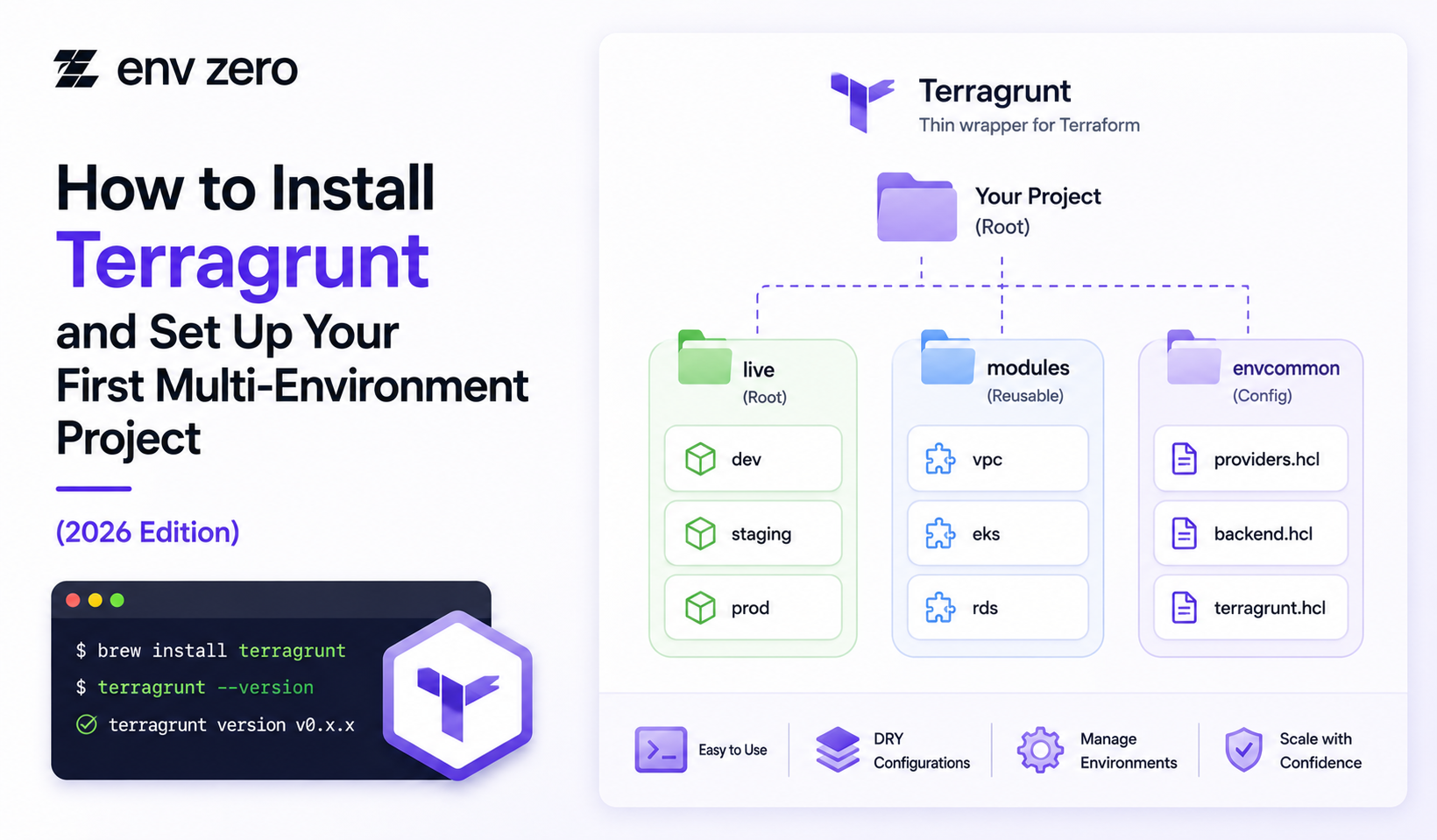
Learning how to install Terragrunt is only the beginning.
The bigger goal is setting up Terragrunt in a way that supports clean multi-environment infrastructure across dev, staging, and production.
Terragrunt helps teams reduce repeated Terraform or OpenTofu configuration, manage remote state more consistently, and organize infrastructure across multiple environments.
For platform teams, it is especially useful when Terraform projects start growing beyond a few root modules.
This guide explains what Terragrunt is, how to install it, how to structure your first multi-environment project, and how env0 can help teams move from local Terragrunt usage to governed workflows with approvals, RBAC, drift detection, and cost visibility.
What Is Terragrunt?
Terragrunt is a thin wrapper for Terraform and OpenTofu.
It helps teams keep infrastructure configuration DRY, manage remote state settings, reuse modules, and coordinate dependencies between infrastructure components.
Terraform defines the actual resources. Terragrunt helps organize how those Terraform or OpenTofu modules are used across environments.
This is why the terragrunt vs terraform comparison is not really about replacement. Terraform is the IaC engine. Terragrunt is the orchestration and configuration layer around it.
For example, instead of copying backend settings into every Terraform root module, a team can define shared Terragrunt configuration once and reuse it across dev, staging, and prod.
Before You Install Terragrunt
Before installation, confirm that Terraform or OpenTofu is already installed and available in your terminal. Terragrunt depends on one of those tools to execute infrastructure changes.
You should also decide which version of Terragrunt your team will standardize on.
For production teams, version consistency matters because CI/CD runners, local developer machines, and platform workflows should behave the same way.
After installation, verify the binary with:
terragrunt --version
This confirms that Terragrunt is available in your system path.
Install Terragrunt on macOS
The simplest macOS option is usually Homebrew:
brew install terragrunt
After installation, check the version:
terragrunt --version
For teams that do not use Homebrew, a direct binary download from the official Terragrunt GitHub releases page can also be used.
In enterprise environments, platform teams should document one approved install method so developers and CI runners stay consistent.
Install Terragrunt on Linux
On Linux, teams often install Terragrunt by downloading the latest release binary, making it executable, and moving it into the system path.
A common pattern is:
curl -L -o terragrunt https://github.com/gruntwork-io/terragrunt/releases/latest/download/terragrunt_linux_amd64
chmod +x terragrunt
sudo mv terragrunt /usr/local/bin/terragrunt
Then verify:
terragrunt --version
If your organization uses ARM-based runners, confirm that you download the correct binary for the machine architecture.
Install Terragrunt on Windows
On Windows, download the Terragrunt executable from the official releases page and place it in a folder included in your system PATH.
After adding it to PATH, open a new PowerShell or Command Prompt window and run:
terragrunt --version
For teams using Windows runners in CI/CD, document the installation process inside your runner image or automation scripts so builds are repeatable.
Set Up a Multi-Environment Project
A good first Terragrunt project should separate reusable modules from live environment configuration.
The module code defines reusable infrastructure. The live configuration defines how that module is used in dev, staging, and production.
A simple structure can look like this:
infrastructure/
modules/
app/
database/
live/
root.hcl
dev/
env.hcl
app/
terragrunt.hcl
staging/
env.hcl
app/
terragrunt.hcl
prod/
env.hcl
app/
terragrunt.hcl
This structure keeps shared settings in one place while giving each environment its own configuration path.
Keep Shared Configuration DRY
The main value of Terragrunt is reducing duplicated configuration.
Shared backend settings, provider assumptions, account values, and common inputs should live at the highest level where they apply.
For example, root.hcl can hold shared remote state configuration.
Environment-level files such as env.hcl can define values for dev, staging, or prod.
Each child terragrunt.hcl can then call the correct module and pass only the values that are specific to that unit.
This keeps the project easier to maintain. When a backend setting or shared input changes, the team does not need to update the same configuration across many folders.
Add Your First Terragrunt Unit
A Terragrunt unit is usually a deployable folder with its own terragrunt.hcl. It may represent an app, database, network, Kubernetes namespace, or another infrastructure component.
A simple unit may look like this:
terraform {
source = "../../../modules/app"
}
inputs = {
environment = "dev"
app_name = "example-app"
}
In a real project, the unit would usually inherit shared configuration from parent files. The goal is to keep each unit small, understandable, and tied to a clear owner.
Understand Terragrunt Dependencies
A terragrunt dependency lets one unit use outputs from another unit.
For example, an application unit may need subnet IDs from a network unit.
Dependencies are useful, but they should be kept visible and intentional. If every unit depends on many other units, plans become harder to understand and changes become riskier.
For a first project, start with simple dependencies. Document which units depend on shared foundations such as networking, identity, or databases.
When Terragrunt Stacks Matter
Terragrunt stacks help teams group related units into a higher-level workflow. A stack may represent a complete application environment, shared services layer, or account baseline.
New teams do not need to start with complex stacks immediately.
First, create a clean folder structure, stable units, and clear dependencies. Then use stacks when you need to manage related units together more consistently.
Stacks are most useful when the infrastructure footprint grows across teams, regions, or environments.
Move From Local Runs to Governed Workflows
Installing Terragrunt locally is useful for learning, but enterprise teams should not rely only on local execution. Local runs can create visibility gaps, inconsistent permissions, and weak audit trails.
As Terragrunt usage grows, platform teams need a governed workflow for plans, approvals, applies, drift detection, cost visibility, and access control.
env0 helps teams manage Terragrunt workflows through templates, run controls, RBAC, approvals, drift detection, audit logs, and self-service infrastructure.
This gives developers a cleaner way to work with Terragrunt while platform teams maintain control.
Conclusion: Installation Is Easy, Structure Matters More
It is not difficult to install Terragrunt. The harder part is setting it up in a way that scales across dev, staging, and production.
A strong first project should separate modules from live configuration, keep shared settings DRY, define clear environment boundaries, and avoid hidden dependency chains.
As the team grows, Terragrunt should be managed through a platform workflow rather than scattered local commands.
Standardize Multi-Environment Terragrunt Workflows
env0 helps teams manage Terragrunt with templates, approvals, RBAC, drift detection, cost visibility, audit logs, and self-service capabilities.
Establish consistent, governed workflows across multiple environments while giving developers the tools to work efficiently and safely.
FAQs
What is Terragrunt?
Terragrunt is a thin wrapper for Terraform and OpenTofu. It helps teams reduce repeated configuration, manage remote state, reuse modules, and coordinate dependencies across infrastructure environments.
Is Terragrunt a replacement for Terraform?
No, terragrunt is not a replacement for Terraform. Terraform provisions infrastructure, while Terragrunt helps organize and manage Terraform or OpenTofu workflows.
What should teams do after they install Terragrunt?
After installation, teams should verify the version, create a clean directory structure, separate modules from live configuration, define remote state, and set up dev, staging, and prod folders.
What is a Terragrunt dependency?
A Terragrunt dependency lets one unit reference outputs from another unit. This is useful when infrastructure components depend on shared resources such as networks, clusters, or databases.
What are Terragrunt stacks?
Terragrunt stacks group related units into a higher-level workflow. They are useful for managing application environments, shared services, account baselines, or regional infrastructure patterns.
How does env0 support Terragrunt?
env0 supports Terragrunt workflows with templates, run controls, RBAC, approvals, drift detection, cost visibility, audit logs, and self-service infrastructure workflows.